Authenticated synthetic walkthrough · Captured 19 November 2026 UTC
Care Management
Follow a signed-in review of patient context, care-team access and an incomplete timecard. These fresh captures use an isolated development lab with fictional records. The interface still displays its TimeCard name; this is a development demonstration, not evidence of live patient processing or customer results.
Start with patient context
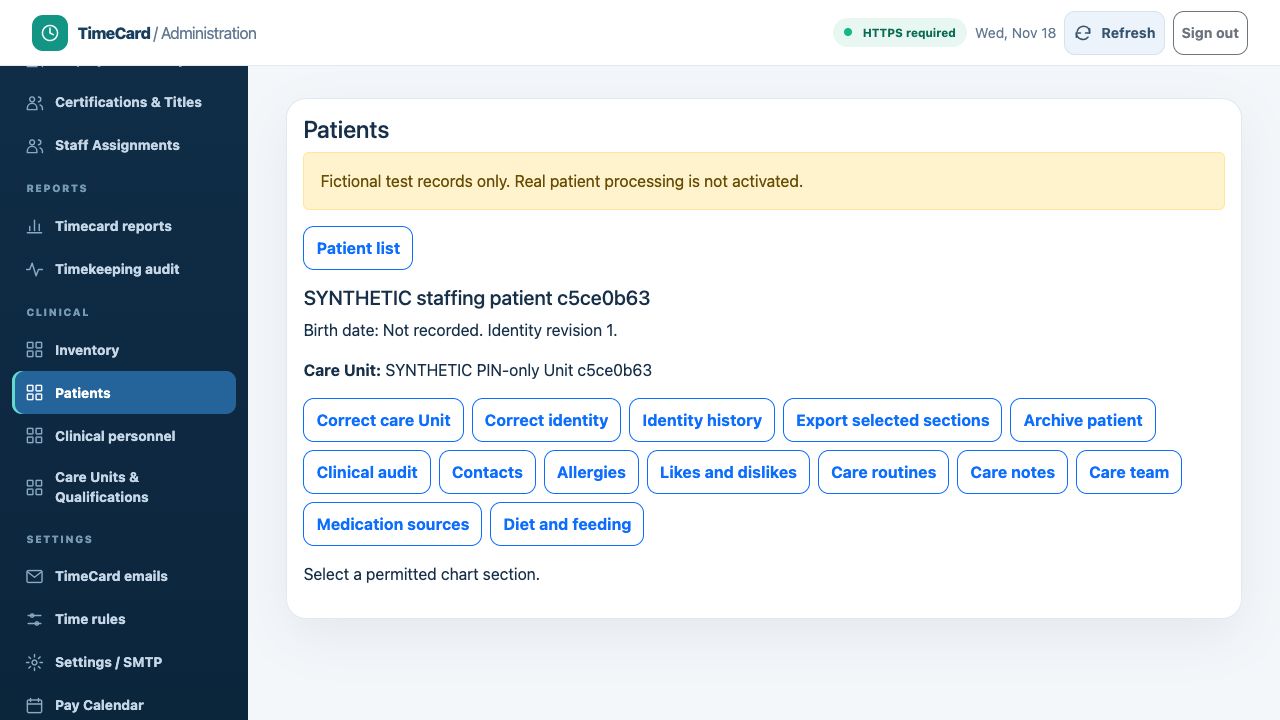
Follow the screen
- Sign in, open Patients and select a permitted fictional chart.
- Confirm the patient and care Unit before choosing care notes, care routines or another available section.
Scroll within the capture, or open the original image to zoom.
Separate staffing from record access
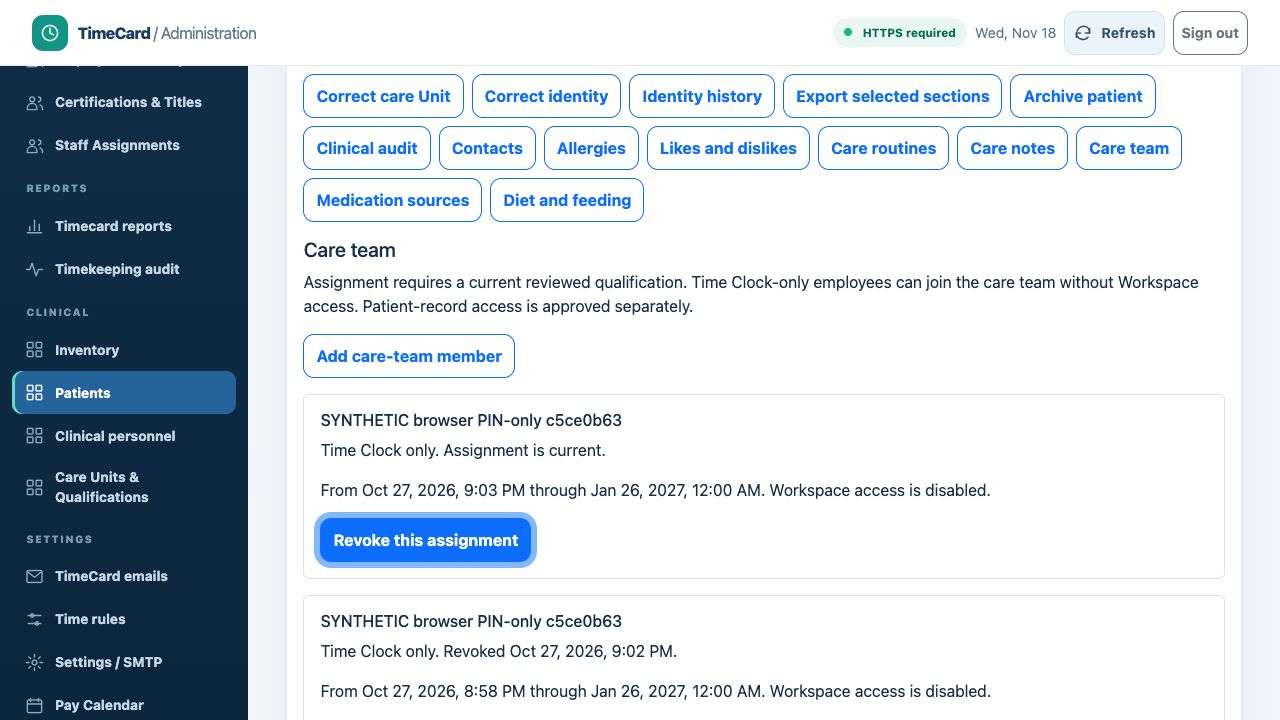
Follow the screen
- Open Care team in the selected patient chart and read the assignment status and dates.
- Check Workspace and clinical-access conditions separately. This review did not add, revoke or activate anyone.
Scroll within the capture, or open the original image to zoom.
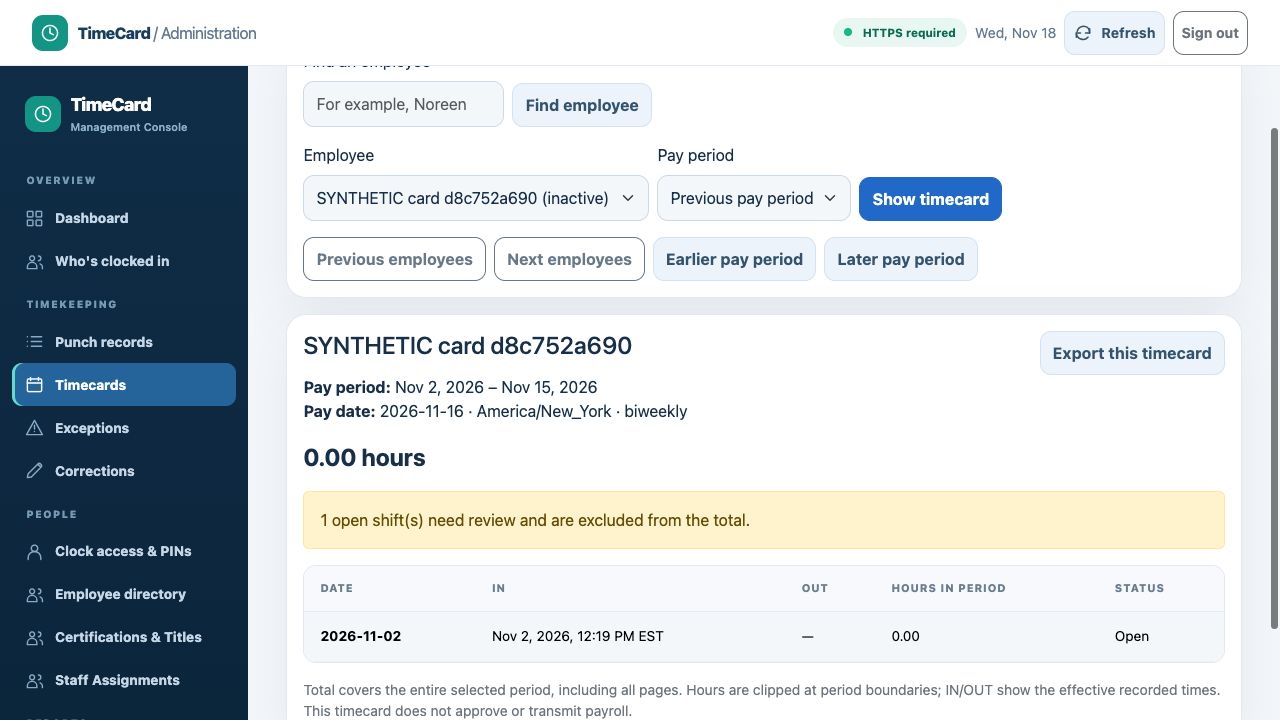
Catch an incomplete timecard
Follow the screen
- Select an employee and pay period, then show the timecard.
- Inspect the missing OUT time and review warning before using a total. An export control is available; exporting does not approve or transmit payroll.
Scroll within the capture, or open the original image to zoom.